Every machine's knowledge,
one scan away.
No binders, no shared-drive spelunking, no app to install. A QR sticker on the machine puts that serial's manuals, procedures, parts, and PM schedules on any phone — plus an AI assistant that answers only from approved content.
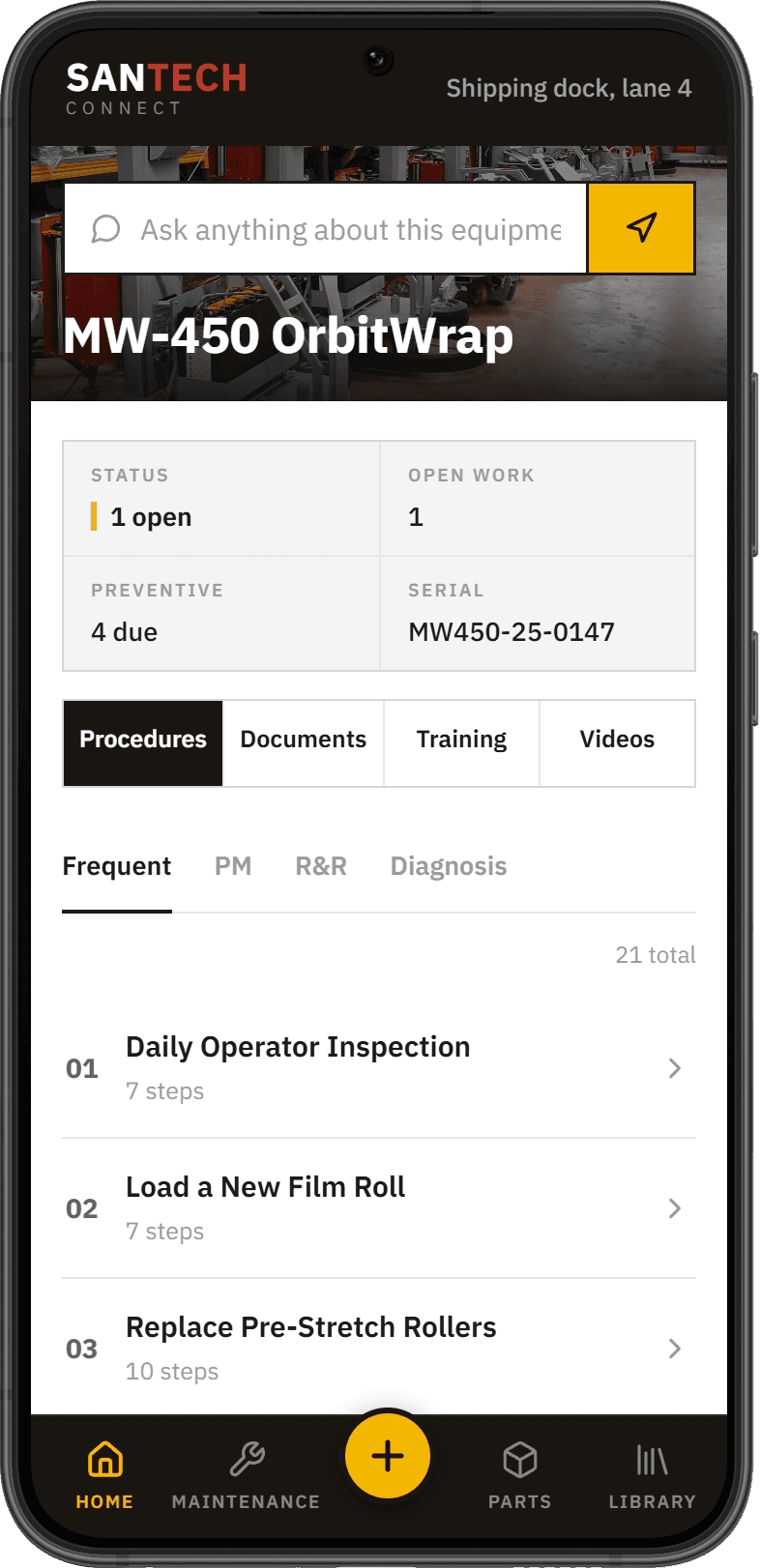
Scan. Identify. Fix.
From QR sticker to the right answer in seconds — for every machine on your floor. The sticker is the entire rollout.
Scan
QR-SCANA durable QR sticker lives on every machine. Any phone camera opens it — no app to install, no password to remember.
Identify
SN-MATCHThe code resolves to that exact asset. Model, serial, and current content revision load instantly — two identical machines can carry different documentation.
Fix
JOB-AIDProcedures, parts, PM schedules, troubleshooting, and cited AI answers — everything scoped to the machine in front of them.
Two minutes on a call gets this on one of your machines.
Answers from your manuals — nothing else.
“The wrap keeps going loose near the top of tall loads — what should I check?”
- Grounded only in that asset's approved content — never the open internet
- Every answer cites the source document and section
- Safety-critical content is quoted verbatim, never paraphrased
- Admins control which documents the AI can use — or turn it off entirely
Don't take our word for it.
Try the actual assistantAnswers come only from this machine's approved manual — with citations
Want it answering from your manuals? We load them for you.
What techs see after the scan
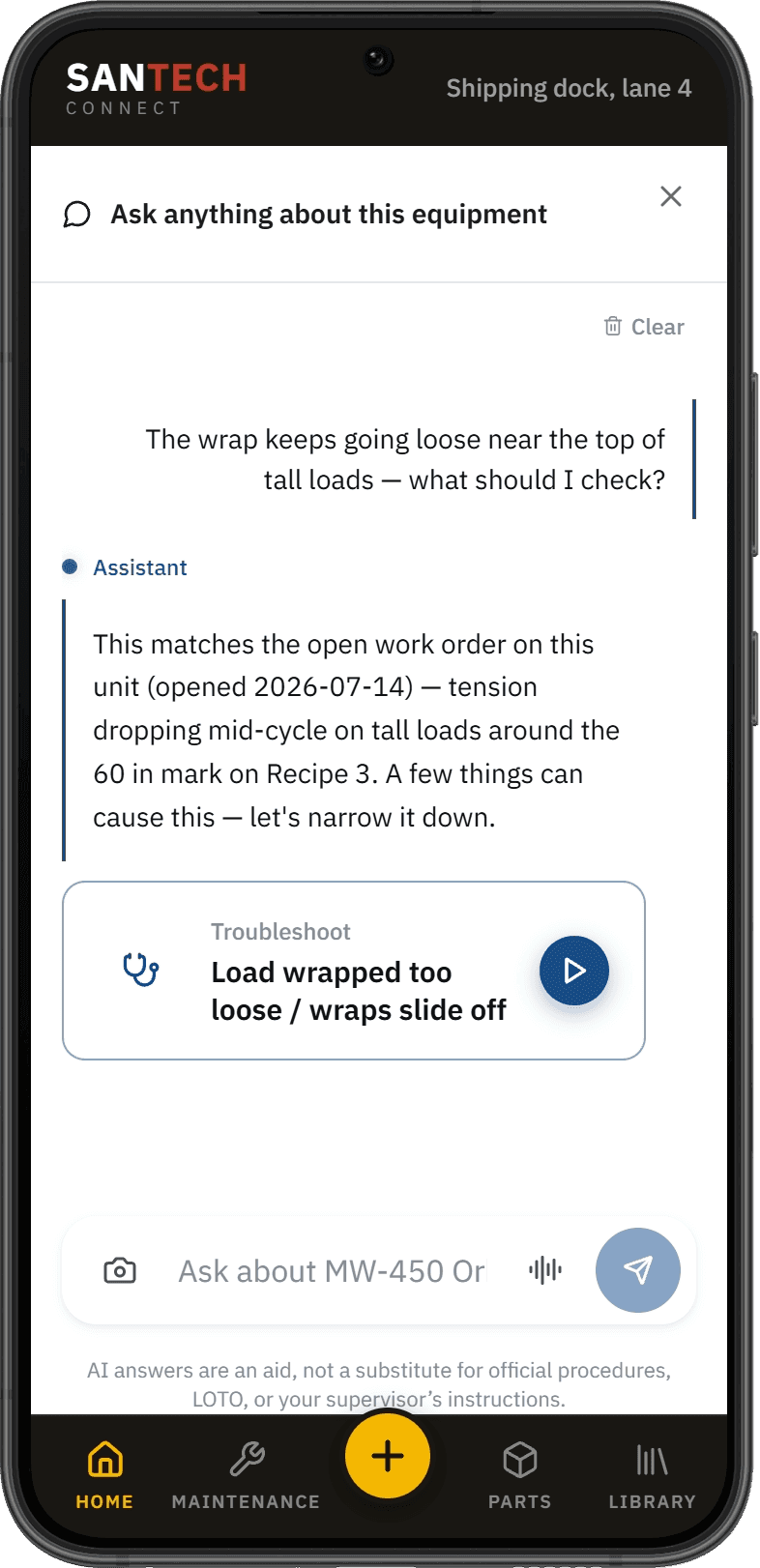
Ask the Machine a Question
Techs ask in plain language and get answers grounded only in that asset's approved, published content — with citations back to the exact source. No generic internet answers, no guessing.
- Plain-language questions, cited answers
- Scoped to that serial’s approved content
- No open-internet answers, no guessing
Built for the floor.
Warehouse wifi drops. Hands are gloved. Sunlight washes out screens. SANTECH Connect is designed for where your techs actually work — not a desk.
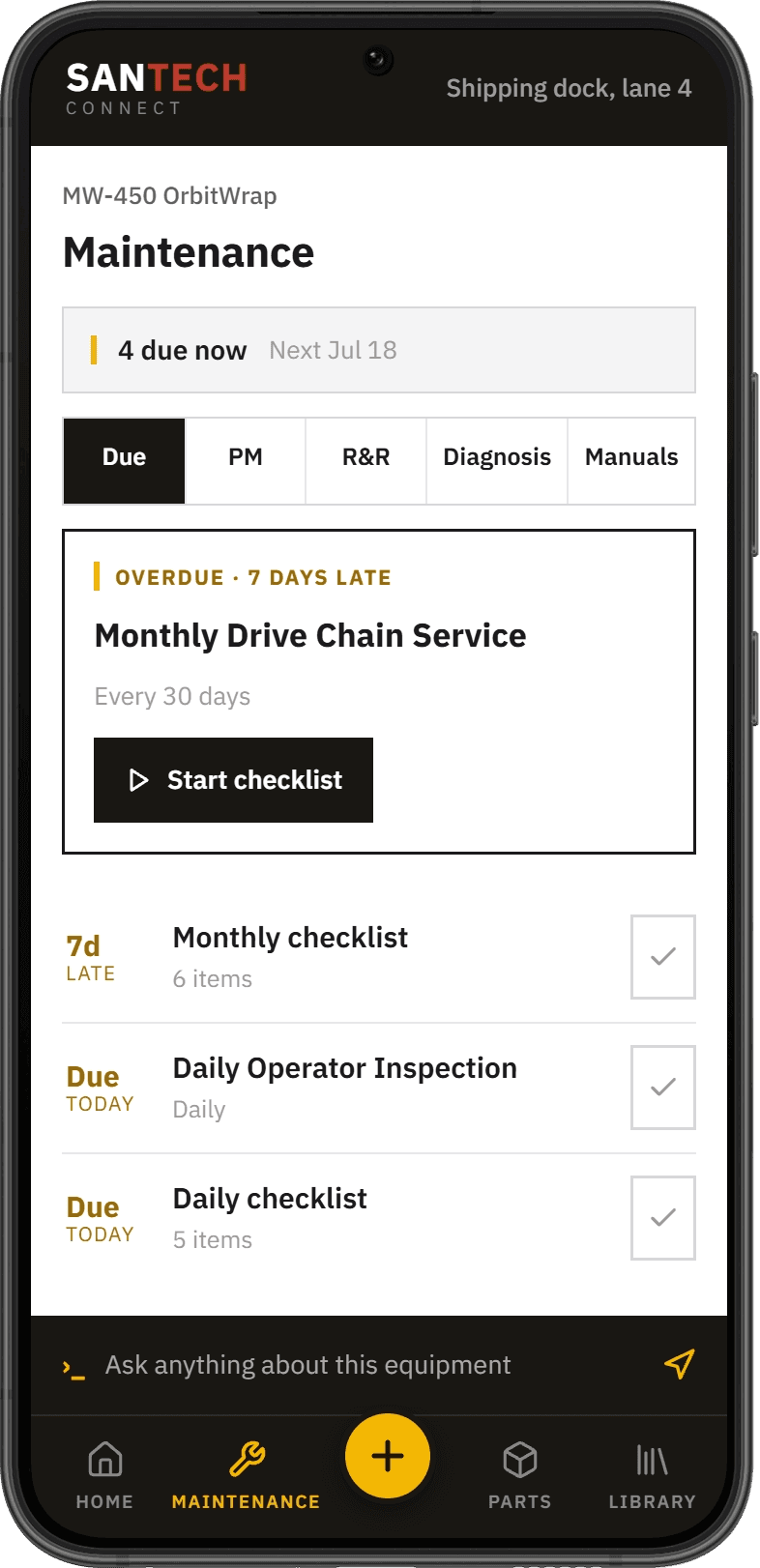
No App, No Login
Any phone camera opens the content in seconds. Zero rollout friction, zero password resets.
Offline Cache
Content a tech has opened stays available when wifi drops — built for dead zones and metal-heavy facilities.
Gloved-Hand UI
Big targets, high contrast, readable in bright light.
Voice Mode
Hands busy? Ask questions and hear answers read back.
Audit-Logged Access
Every scan and procedure view logged with timestamp, user, and content revision.
Org-Scoped Security
Content isolated per organization, QR sessions expire and are revocable, data encrypted in transit and at rest.
One platform, three wins.
Whether you run the equipment, install it, or build it — the knowledge stays attached to the machine.
Facilities & Maintenance
Stop hunting binders and shared drives. Techs get the right page for the machine in front of them, and managers get an audit trail of who accessed what.
- Cut time lost searching for documentation
- Capture tribal knowledge before it walks out the door — techs record photo, video, and voice procedures at the machine; admins review and publish
Integrators & Dealers
Standardize field guidance across every install. Your service teams work from the same current content on every site, on every visit.
- Consistent service quality across the portfolio
- Differentiate bids with connected documentation
OEMs
Keep your content — and your parts business — attached to your equipment for its whole service life.
- Parts pages with your ordering links keep aftermarket revenue with you
- Publish a revision once; every machine updates
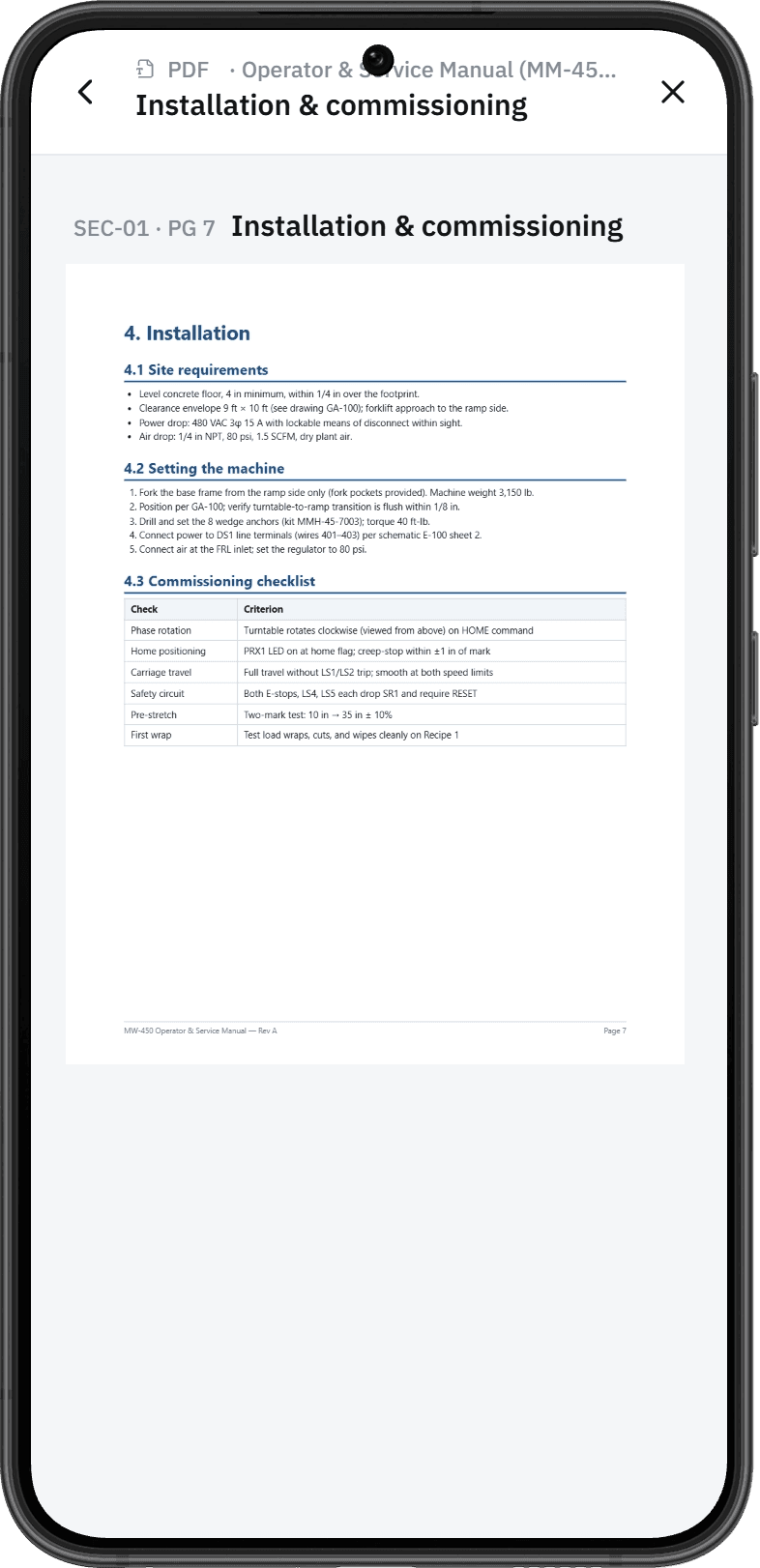
You don't have to build it.
The biggest reason platforms like this stall is content. SANTECH has been building technical documentation and training for material handling and automation equipment for years — we load the platform for you.
- We ingest your existing manuals into sectioned, serial-scoped content
- Admin studio for procedures, analytics, and serialized QR labels — deploying is sticker application, not an IT project
- Word add-in publishes .docx straight into structured procedures
- Techs capture procedures on the floor — photos, video, voice — for admin review
- Training modules with knowledge checks, SCORM export, and LTI support
The project closes. The content keeps working.
Training and documentation developed in a SANTECH-managed project workstream doesn't have to retire into a binder at closeout. Connect puts those deliverables on the equipment itself — organized by asset, one scan away.
Built in the project workstream
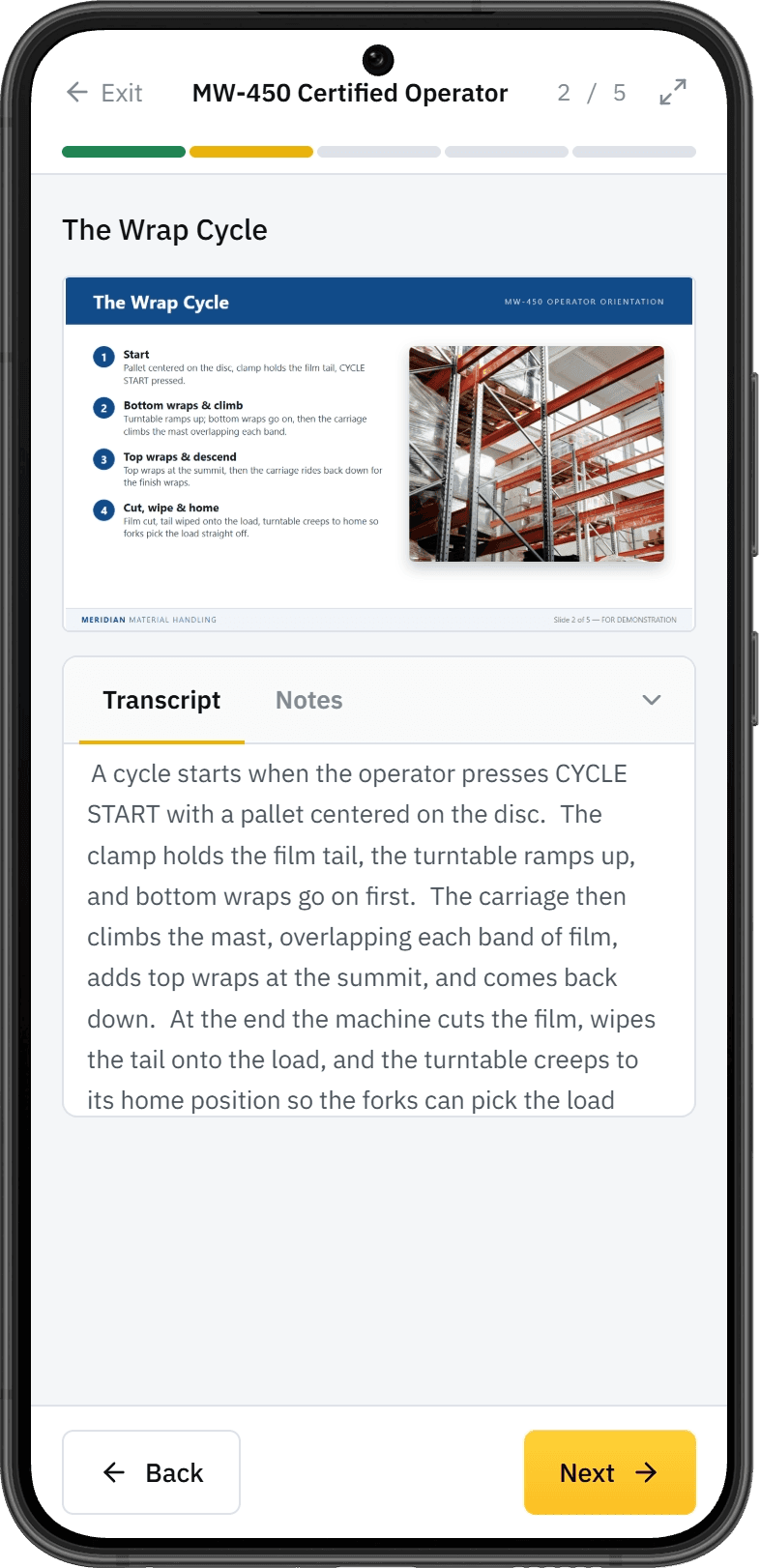
Manuals, procedures, parts content, training, and video are developed to align with the applicable specification and managed through review — technical content validated by your project subject-matter experts.
Organized by equipment
Approved content is structured around the asset. Each serial carries its own manuals, procedures, parts, PM schedules, training, and video — nothing generic, nothing buried.
On the floor after handoff
A QR sticker on the machine gives technicians that serial's content on any phone, plus an AI assistant grounded in the approved content — working long after the project team rolls off site.
Maintained over the lifecycle
Publish a revision once and every tagged machine serves the current version, so the documentation can stay accurate for the equipment's service life.
Three ways to run it.
Mid-program, post-closeout, or no project at all — the platform is the same. The entry point is yours.
Inside a project program
Include Connect as the field-delivery option in a SANTECH-managed program — the training and documentation your contract already requires, made scannable at the machine.
After project closeout
Carry the content forward once submission and closeout are complete. The documentation delivered with the project stays on the equipment and can be maintained as it changes.
As a standalone product
No project required. If you already have the manuals, we load them — and Connect stands on its own.
Content development runs in the managed project workstream.
See SANTECH Connect on your equipment
Tell us a little about your operation and we'll set up a live walkthrough — usually within one business day.
What a demo covers
- 01Scan a live QR-tagged sample asset from your own phone
- 02Ask the AI assistant a real question from an equipment manual
- 03Walk through parts lookup and PM schedules
- 04Map out a content-onboarding plan for your equipment
Not ready for a walkthrough yet?
Get the product sheet — the whole SANTECH Connect story.